🌦️ Magic Weather
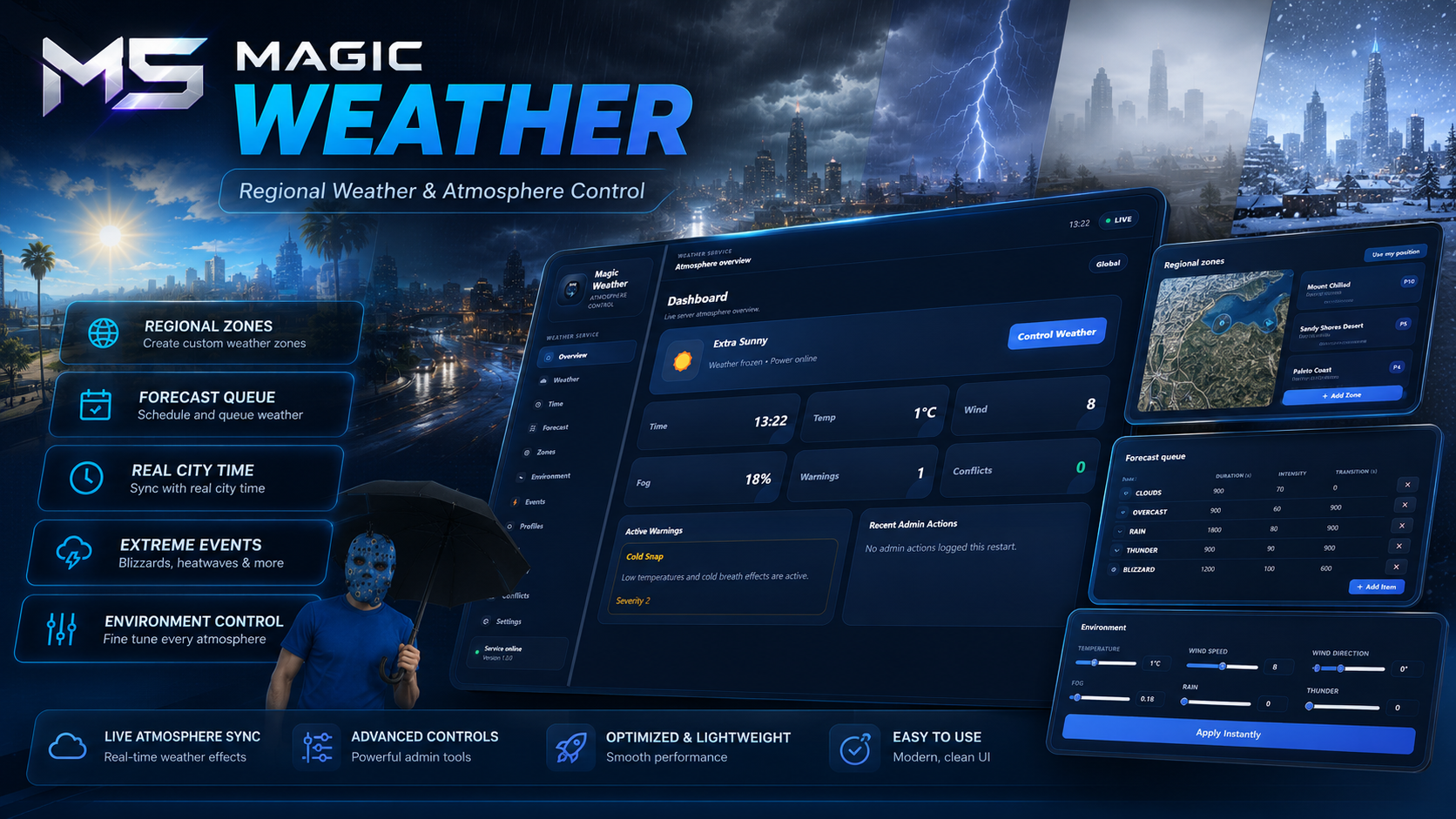
Magic Weather is a complete weather, time, forecasting, and atmosphere system for FiveM. It replaces basic weather-sync resources with realistic regional weather, dynamic forecasting, environmental controls, routing bucket support, extreme weather events, and a powerful in-game management tablet.
Create unique weather across different areas of the map, build immersive seasonal environments, manage live forecasts, and control every aspect of your server's atmosphere through one clean and responsive interface.
Features
Regional weather zones
Dynamic weather progression
Live weather forecasting
Complete time management
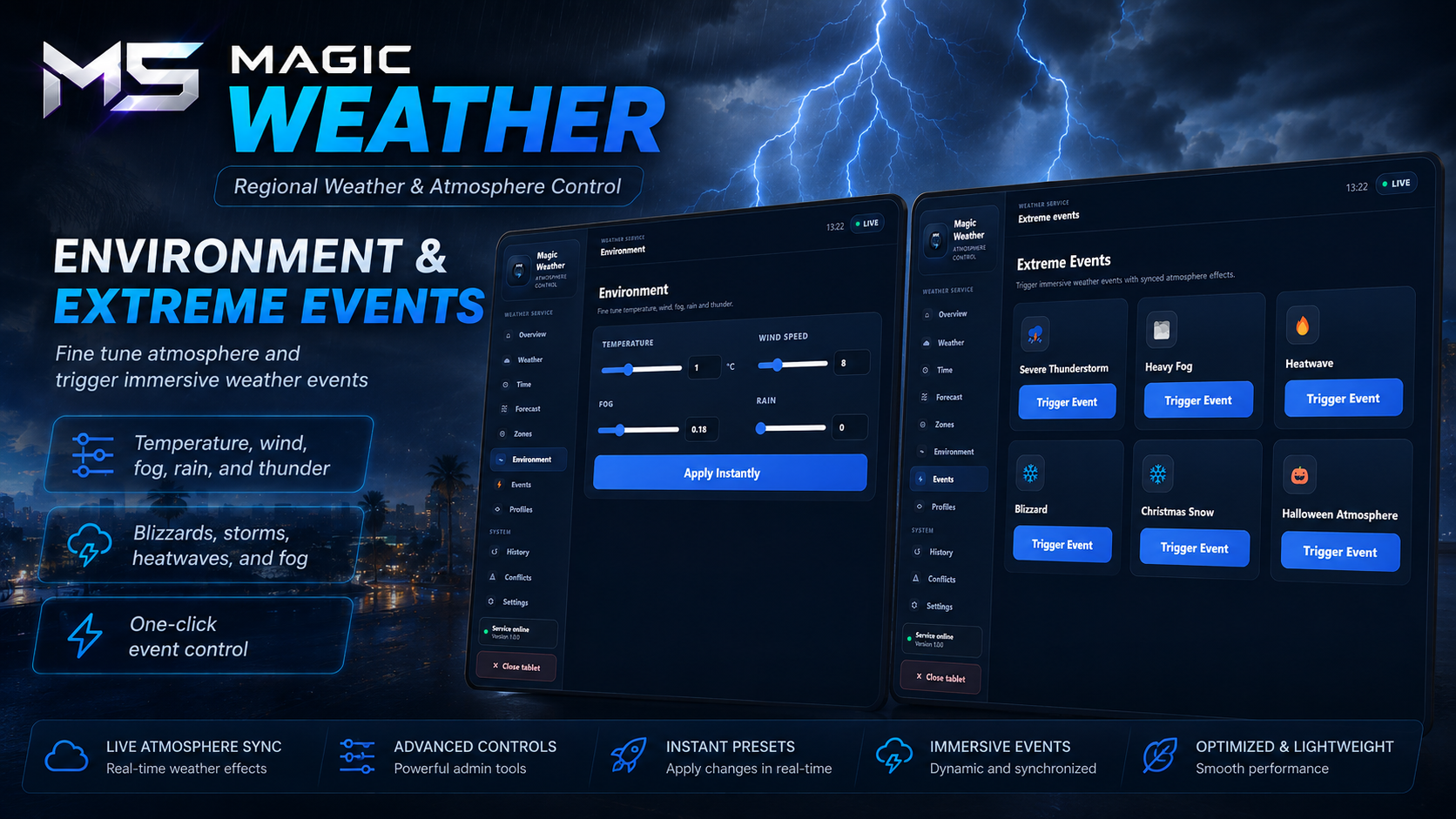
Environmental controls
Extreme weather events
Routing bucket weather
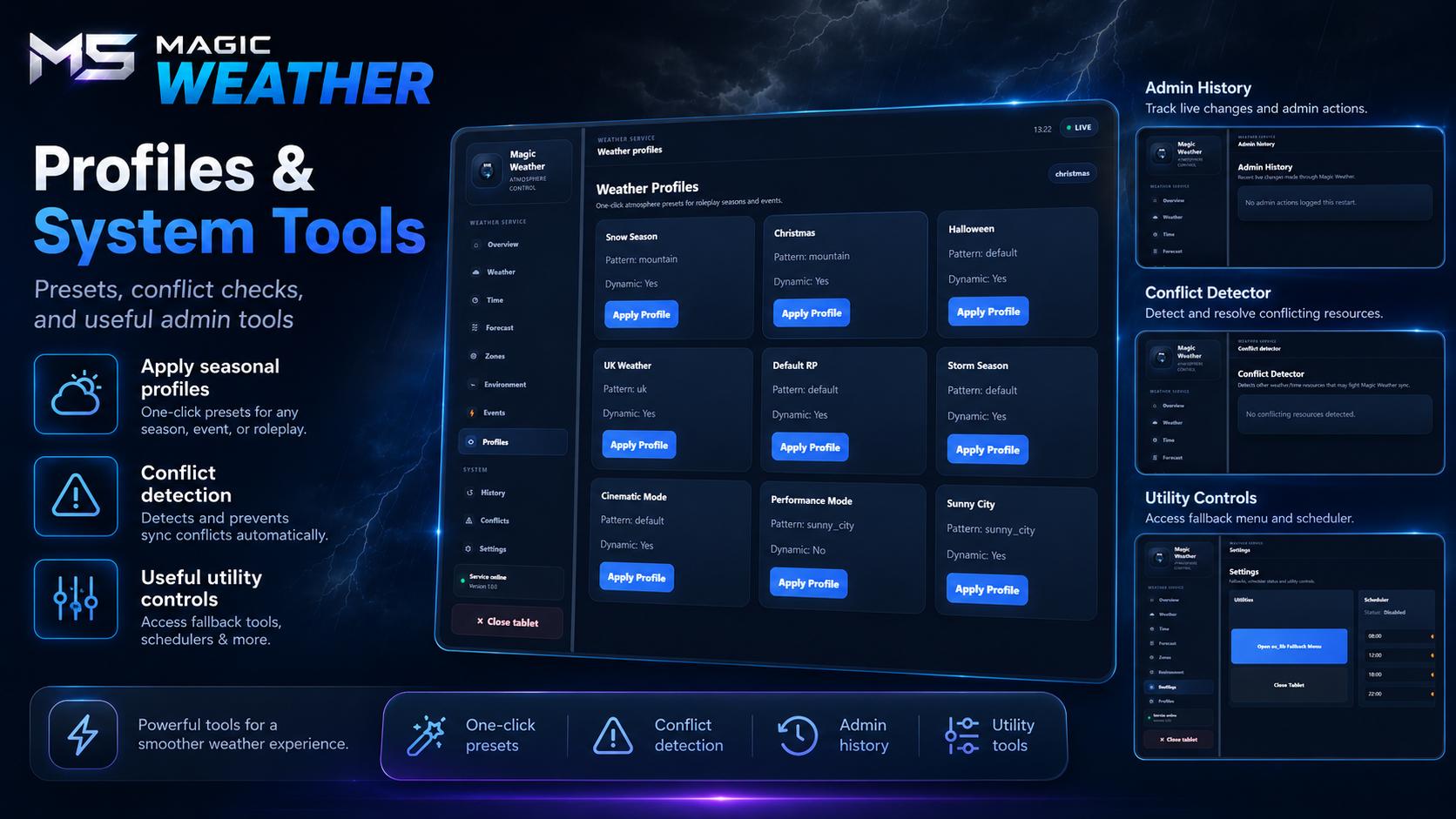
Seasonal weather profiles
In-game zone editor
Admin weather tablet
SQL persistence
Automatic conflict detection
Server-authoritative synchronisation
Public exports for developers
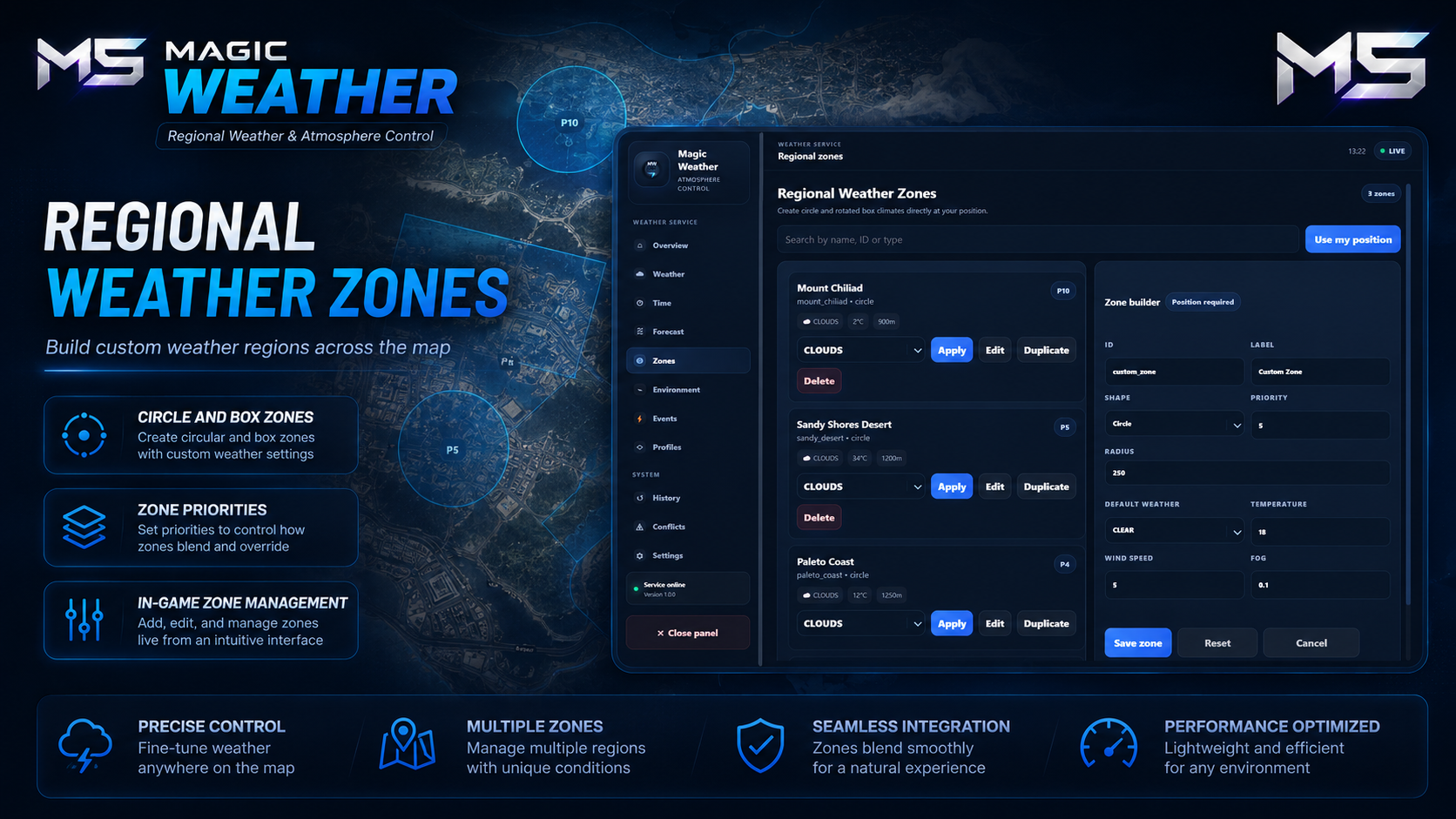
Regional Weather
Different parts of your map can have completely different weather conditions.
Configure independent weather for:
Cities
Countryside
Mountains
Beaches
Islands
Custom interiors
Event locations
Private instances
Supported zone types include:
Circle zones
Box zones
Polygon zones
Config-defined zones
In-game created zones
Each zone supports:
Weather type
Temperature
Wind speed
Wind direction
Rain intensity
Fog density
Thunder strength
Blackout state
Height limits
Transition speed
Priority handling
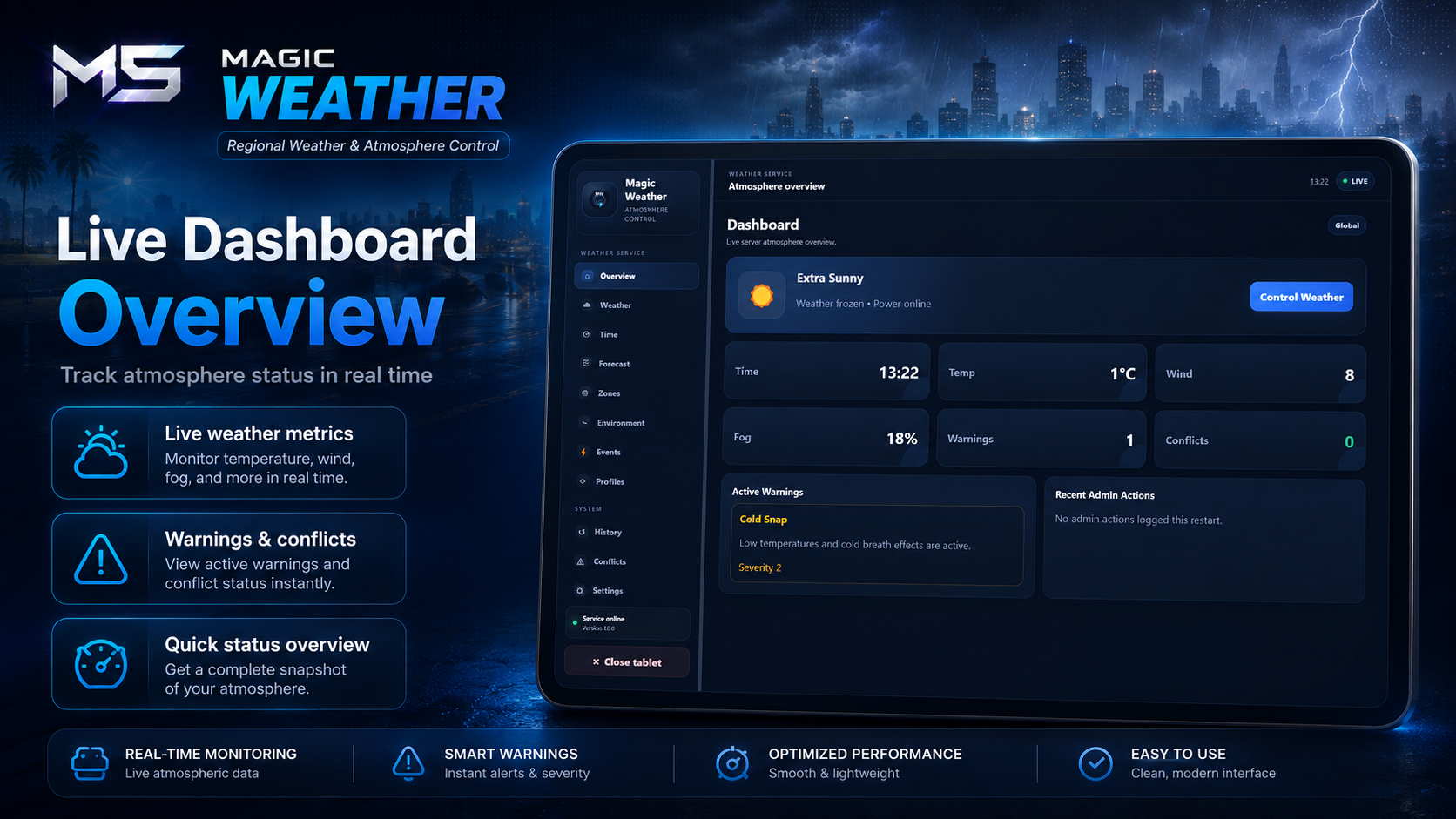
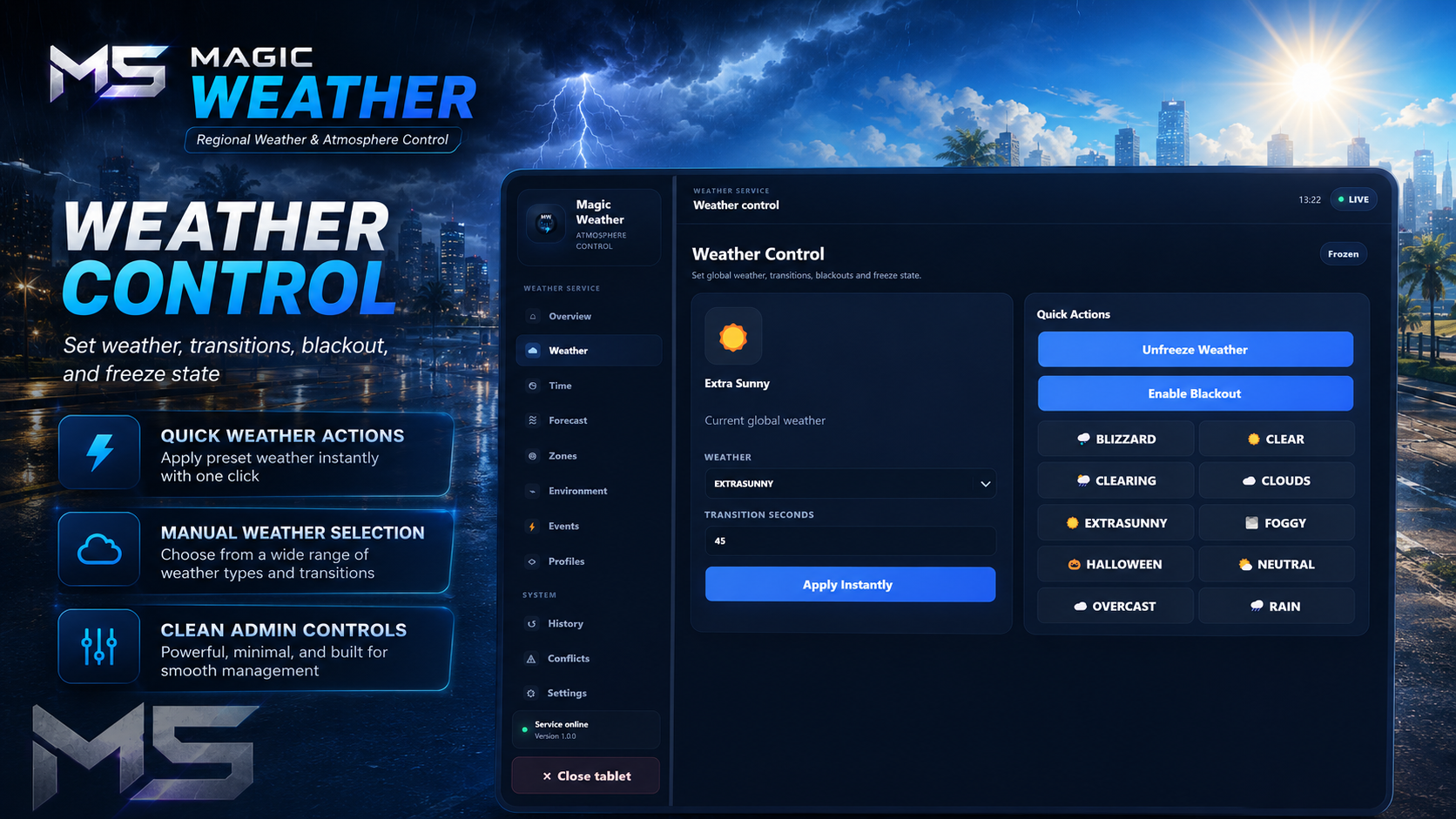
Weather Management Tablet
The included administration tablet provides complete control over the weather system.
Manage:
Current weather
Server time
Regional zones
Forecasts
Temperature
Wind
Fog
Rain
Thunder
Blackouts
Weather profiles
Active events
Warnings
System diagnostics
Admin history
Global settings
The interface includes:
Responsive layout
Scrollable pages
Searchable dropdowns
Confirmation windows
In-tablet notifications
Smooth animations
Premium blue styling
Dynamic Weather
Magic Weather transitions naturally between weather types instead of instantly changing conditions.
Example progression:
EXTRASUNNY
CLEAR
CLOUDS
OVERCAST
RAIN
THUNDER
Configure:
Automatic weather cycles
Transition duration
Allowed weather types
Manual overrides
Frozen weather
Scheduled weather
Seasonal behaviour
Global or regional control
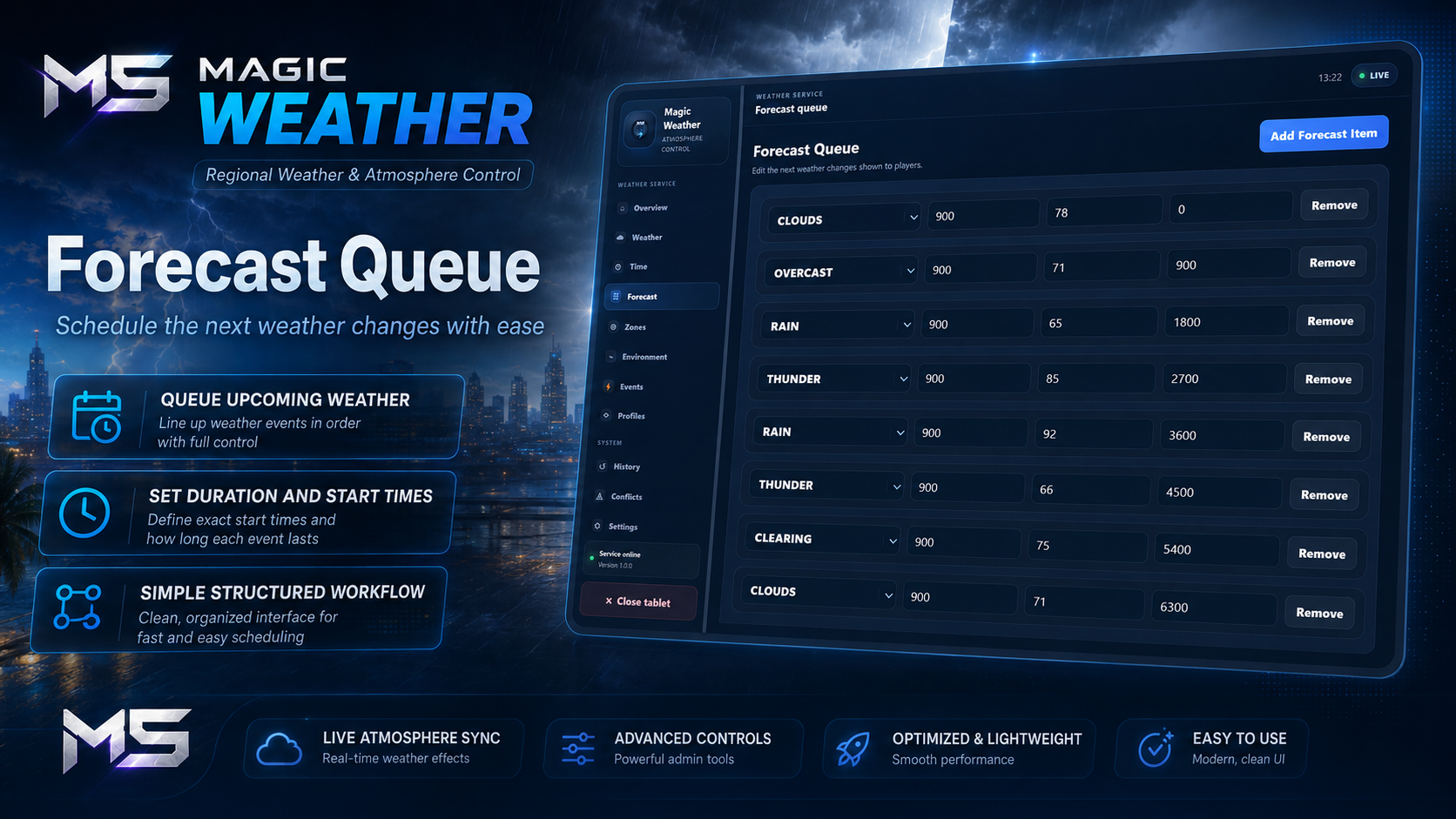
Forecast System
Players can view upcoming weather through a detailed forecast.
Includes:
Forecast timeline
Upcoming conditions
Duration
Start times
Weather probability
Regional forecasts
Temperature
Wind
Fog
Weather warnings
Administrators can fully edit forecast queues in real time.
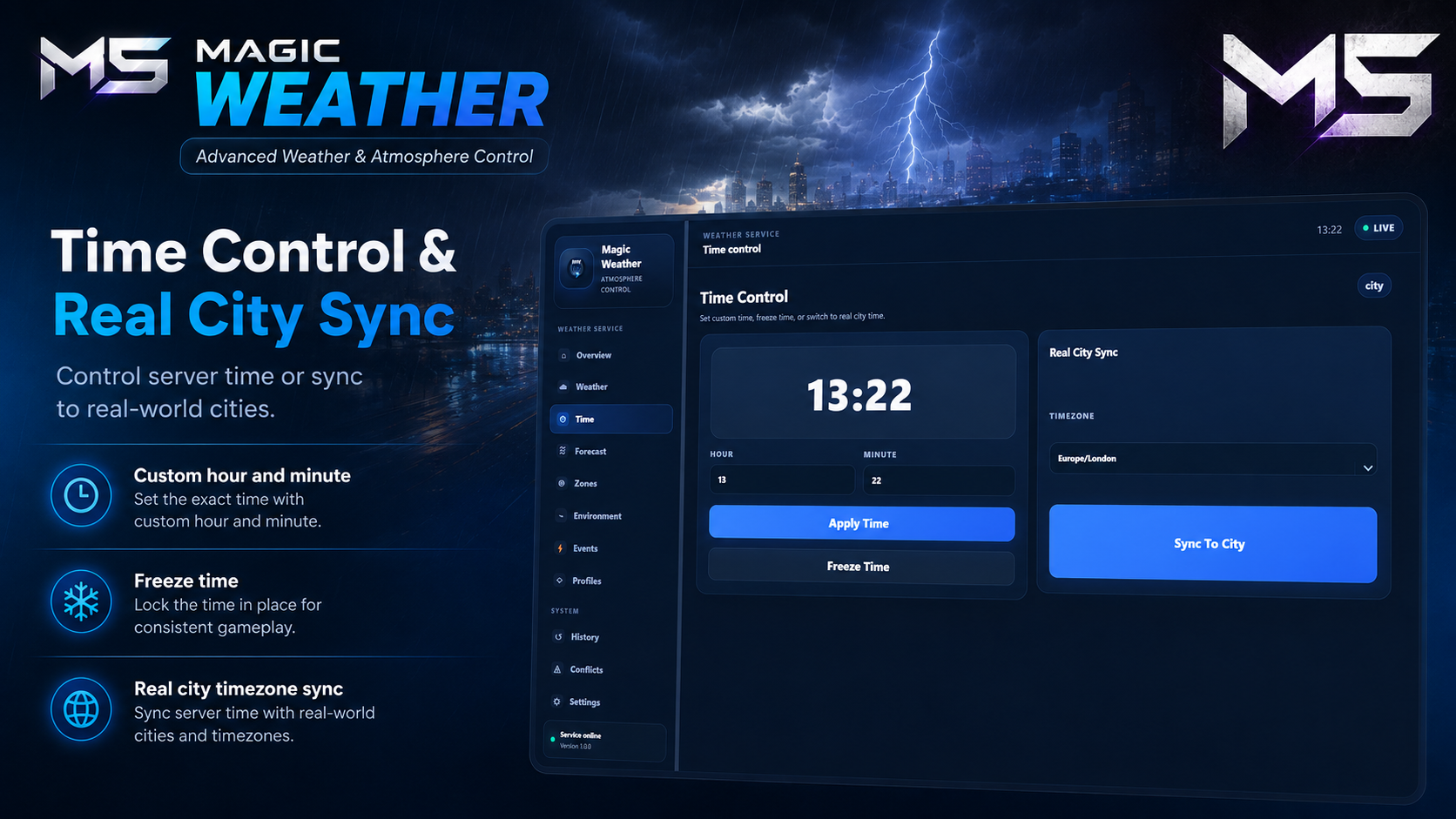
Time Management
Supports complete control over server time.
Features include:
Manual time control
Frozen time
Adjustable hours and minutes
Configurable day speed
Configurable night speed
Real-world timezone synchronisation
Regional time overrides
Routing bucket time overrides
Automatic player synchronisation
Supported timezone presets include:
London
New York
Los Angeles
Tokyo
UTC
Additional timezones can easily be added.
Environment Controls
Fine-tune environmental conditions independently of the active weather.
Control:
Temperature
Wind speed
Wind direction
Fog density
Rain intensity
Thunder intensity
Snow
Cold breath
Moon phase
Blackouts
Power restoration
Extreme Weather Events
Trigger immersive server-wide events including:
Severe thunderstorms
Heavy fog
Heatwaves
Blizzards
Christmas snow
Halloween atmosphere
When events finish, the previous weather, forecast, environment, blackout state, and profiles are automatically restored.
Routing Bucket Support
Different routing buckets can have completely independent weather.
Perfect for:
Character creators
Apartments
Houses
Photography studios
Vehicle showrooms
Robberies
Missions
Private events
Custom interiors
Each bucket can override:
Weather
Time
Temperature
Wind
Fog
Rain
Thunder
Blackout
Optional Gameplay Effects
Weather can optionally affect gameplay.
Available effects include:
Reduced tyre grip in rain
Storm traction loss
Snow and ice handling
Cold exposure
Heat exposure
Custom external integrations
Each effect can be enabled or disabled individually.
Weather Profiles
Create reusable atmosphere presets.
Profiles can store:
Weather patterns
Dynamic weather settings
Temperature
Wind
Rain
Fog
Thunder
Seasonal settings
Event atmospheres
Perfect for:
Winter
Summer
Halloween
Christmas
Server events
Story-driven roleplay
Emergency scenarios
Synchronisation & Persistence
Magic Weather includes:
Persistent weather state
Persistent regional zones
Persistent forecasts
SQL migrations
Schema version tracking
Player synchronisation
Cached updates
Resource restart recovery
OneSync support
Conflict Detection
The resource automatically checks for incompatible weather systems.
Supported conflict detection includes:
qb-weathersync
vSync
cd_easytime
Other weather resources
Other time synchronisation resources
Developer Support
Magic Weather includes public exports for seamless integration with other resources.
Available exports include:
Get current weather
Get weather at coordinates
Get temperature
Get forecasts
Check if it is raining
Set regional weather
Configure routing bucket weather
Clear bucket overrides
Compatibility
Frameworks
✅ Qbox
✅ QBCore
✅ ESX
✅ OX Core
✅ Standalone
Framework detection is automatic where supported.
Integrations
✅ ox_lib
✅ oxmysql
✅ ACE permissions
✅ Framework permission groups
✅ Discord webhooks
✅ Client exports
✅ Server exports
✅ Routing buckets
✅ External gameplay integrations
Configuration
Server owners can customise:
Weather zones
Zone priorities
Weather types
Forecasts
Time settings
Seasons
Temperature
Wind
Fog
Rain
Thunder
Snow
Blackouts
Weather profiles
Extreme weather events
Routing bucket overrides
Gameplay effects
Notifications
Permissions
Webhooks
Synchronisation
Debug tools
Perfect For
Serious roleplay servers
Economy servers
Survival servers
Public servers
Story-driven communities
Seasonal events
Photography servers
Racing servers
Adventure servers
Immersive world-building
Requirements
Required
ox_lib
Optional
oxmysql (for SQL persistence)
Any existing weather or time synchronisation resources should be disabled unless they are being used through a configured compatibility bridge.
Support
Need help?
Join our Discord community for support, updates, and announcements.