Magic Safezone Creator
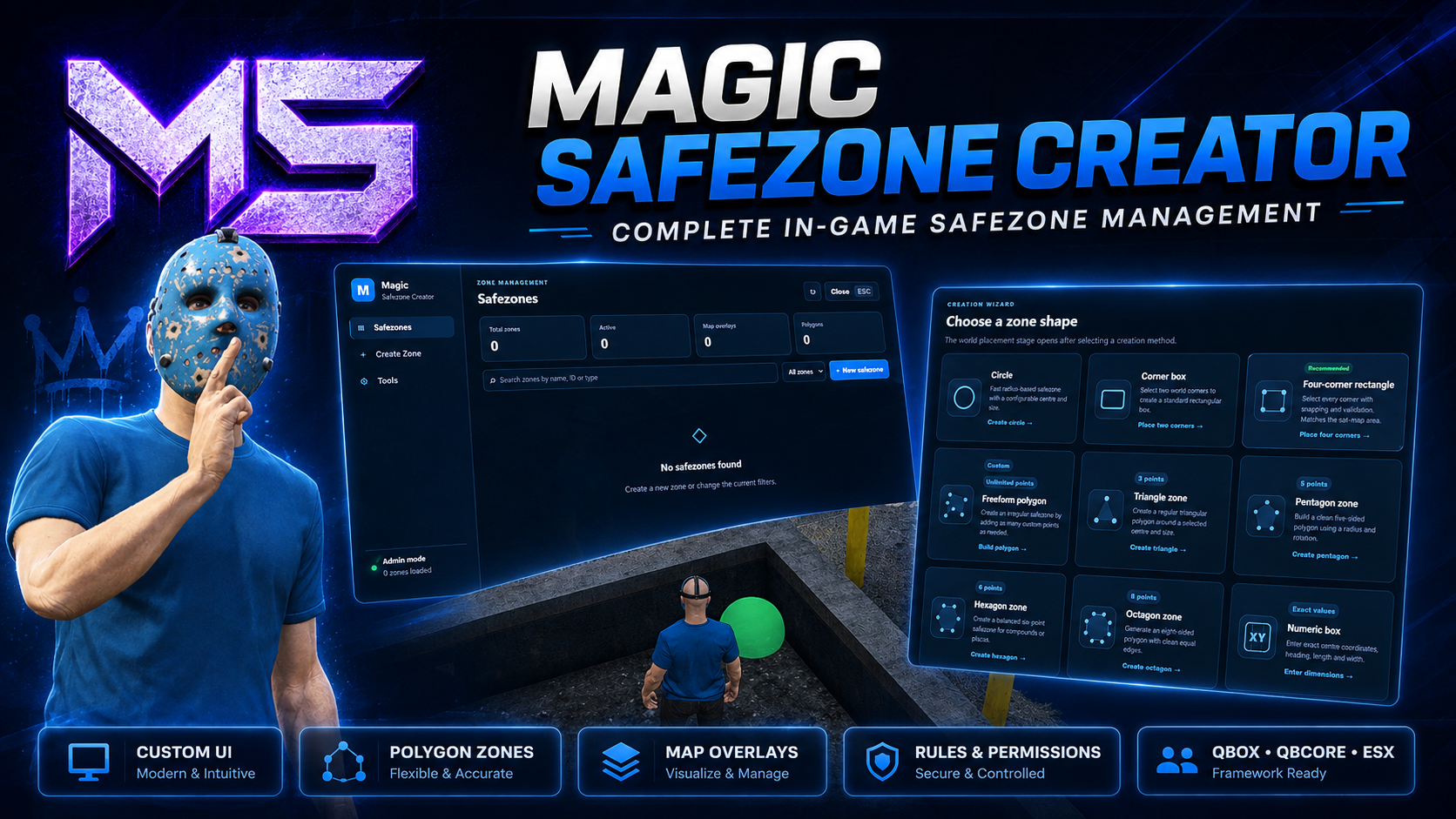
Magic Safezone Creator is a complete in-game safezone management system designed for modern FiveM roleplay servers. Create, edit and manage safezones directly in-game without manually entering coordinates or restarting your server.
With support for multiple zone shapes, live visual placement, interactive editing, configurable gameplay rules and automatic database persistence, Magic Safezone Creator makes managing protected areas fast, accurate and effortless.
Features
In-game safezone creator
Multiple zone shapes
Live visual placement
Polygon point editing
Rectangle corner placement
Satellite map overlays
Configurable gameplay rules
Automatic SQL persistence
Real-time synchronisation
Custom administration panel
Priority-based overlapping zones
Discord webhook logging
Secure server-side validation
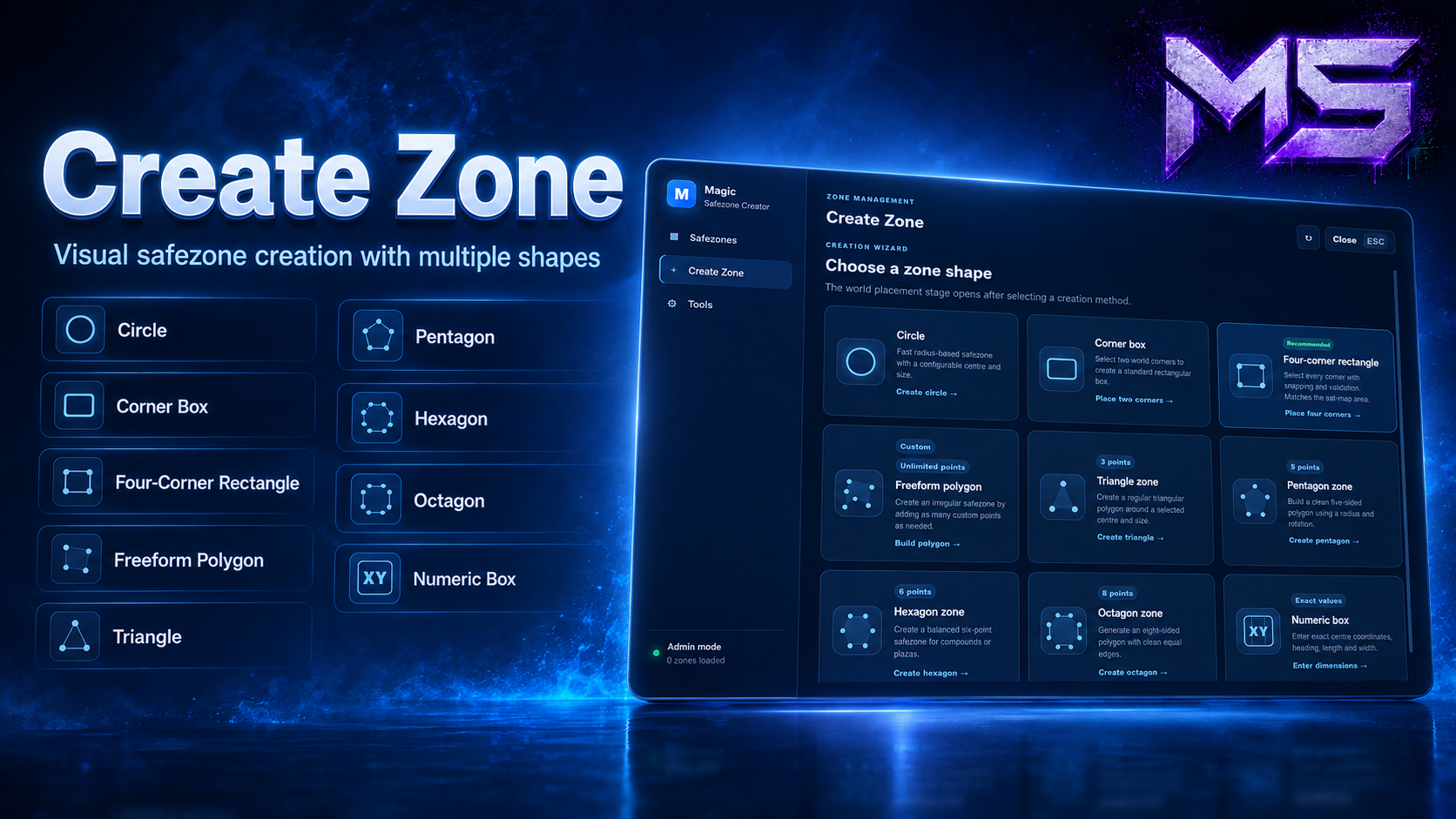
In-Game Safezone Creator
Create safezones directly inside the game using an intuitive placement workflow.
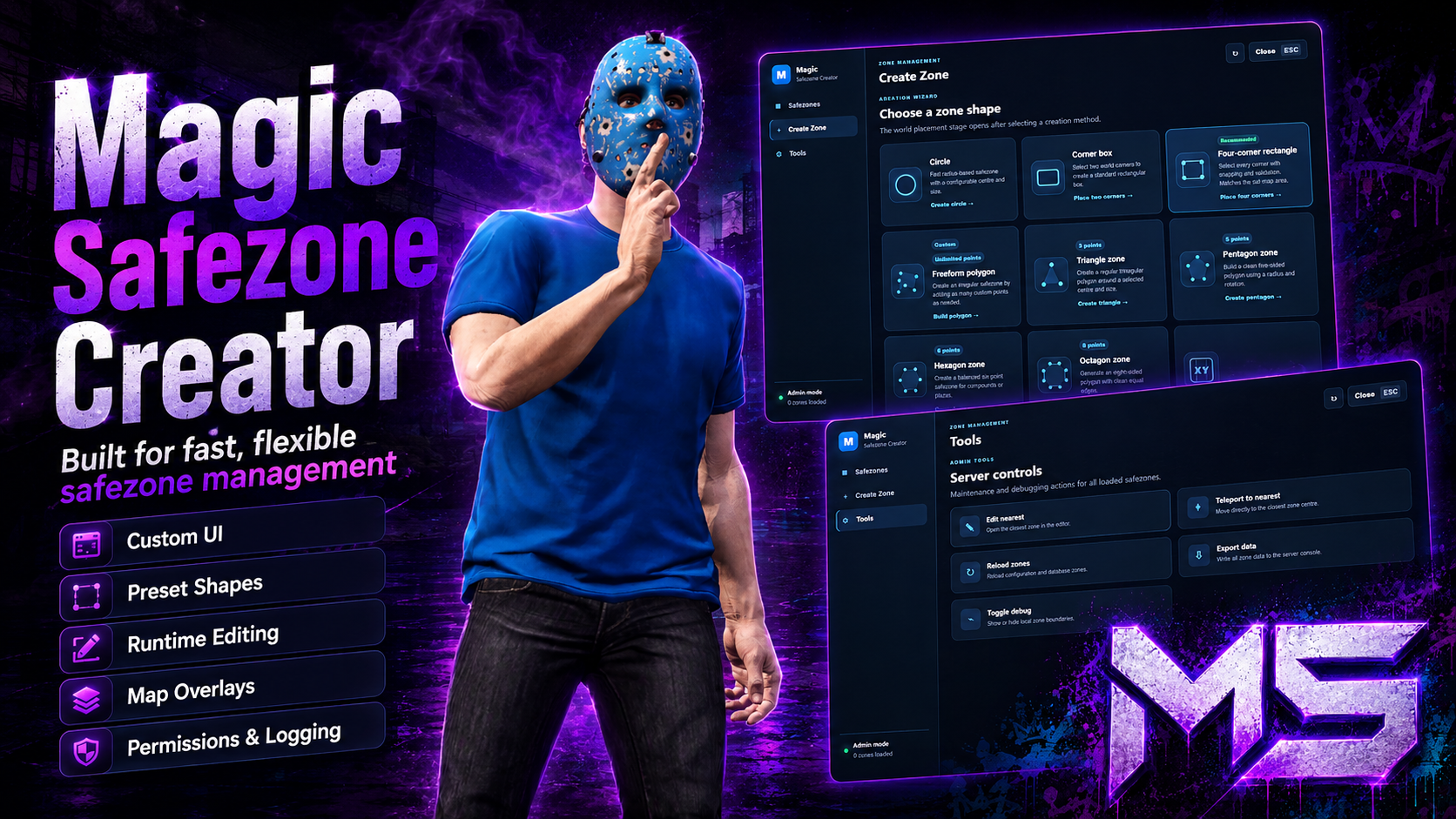
Supported zone types include:
Circle zones
Two-corner box zones
Four-corner rectangle zones
Freeform polygon zones
Triangle zones
Pentagon zones
Hexagon zones
Octagon zones
Numeric coordinate boxes
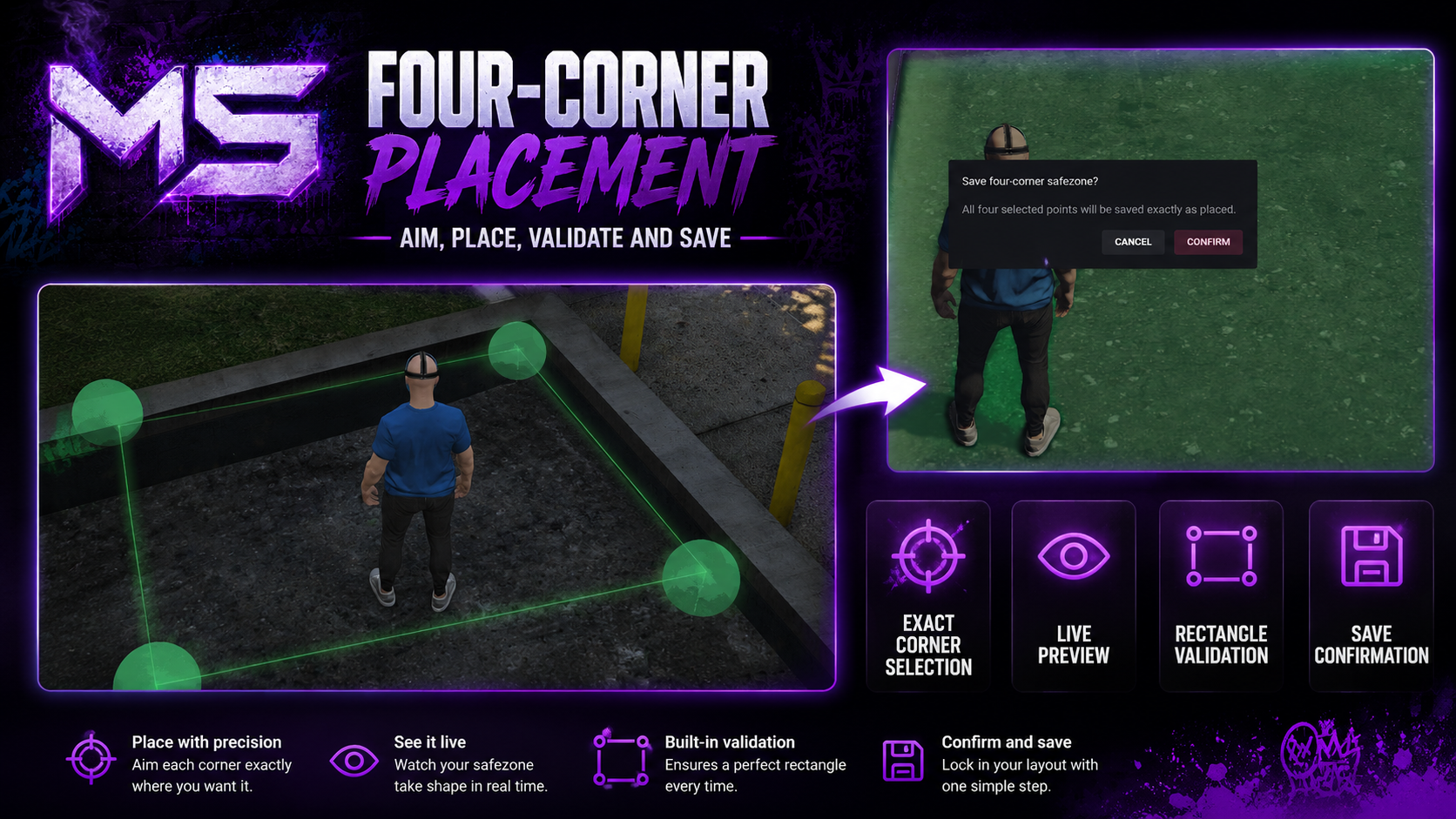
Large placement markers and connecting guide lines provide a clear preview before saving.
Rectangle & Polygon Placement
Create highly accurate safezones without editing coordinates manually.
Features include:
Exact aimed-point placement
Individual corner selection
Live corner markers
Connected boundary lines
Rectangle snapping
Polygon editing
Undo last point
Cancel placement
Duplicate-point protection
Crossed-line detection
Minimum size validation
Accurate saved polygon data
The minimap overlay is generated from the exact saved points, ensuring the displayed safezone always matches the world boundary.
Safezone Rules
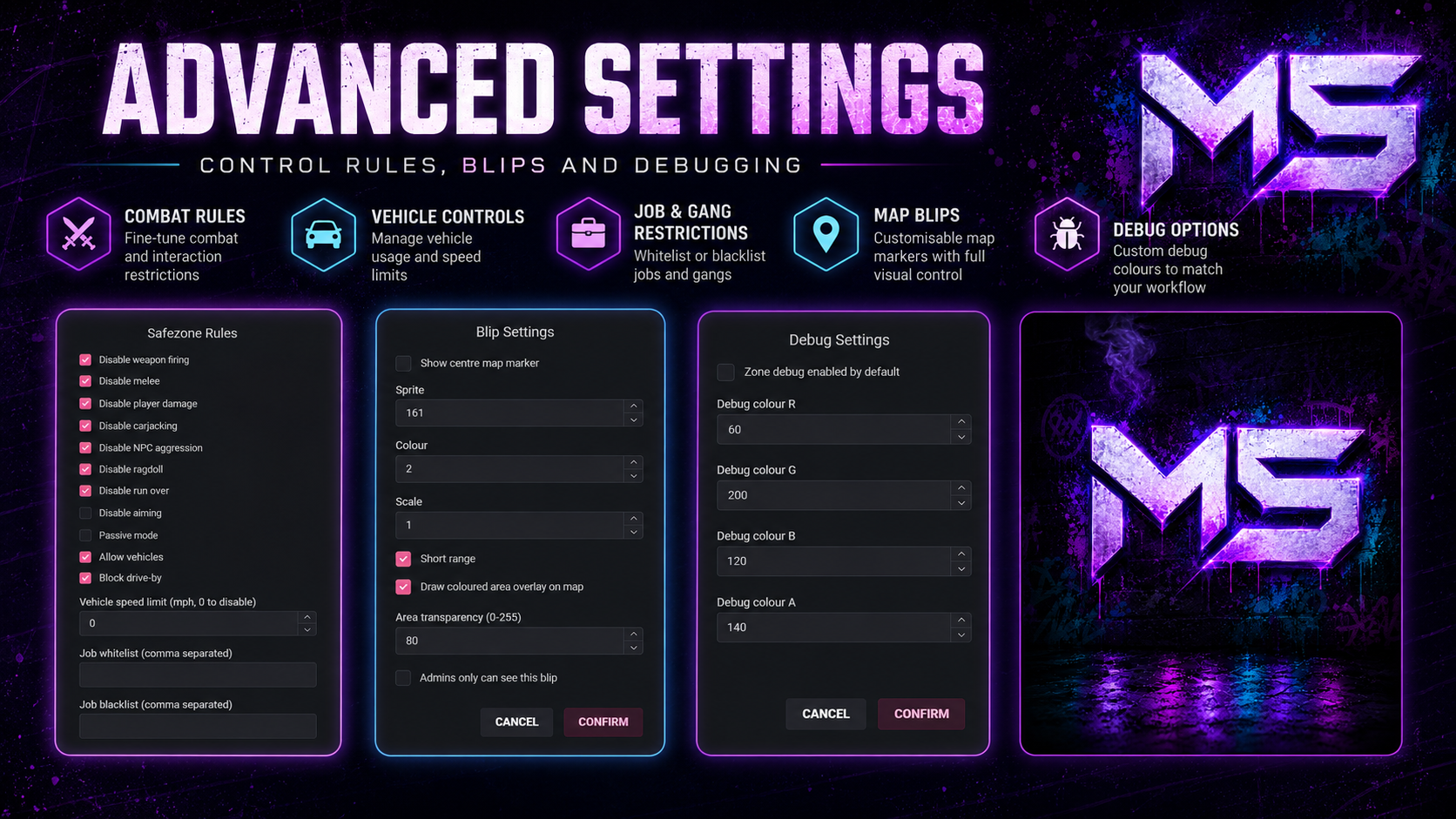
Each safezone can have its own independent gameplay rules.
Configurable options include:
Disable weapon firing
Disable aiming
Disable melee attacks
Disable player damage
Passive mode
Disable carjacking
Disable NPC aggression
Disable ragdoll
Disable vehicle run-over damage
Disable drive-by shooting
Vehicle access restrictions
Vehicle speed limits
Weapon allowlists
Weapon blocklists
Job whitelists
Job blacklists
Gang whitelists
Gang blacklists
Custom rule combinations
Rules are processed server-side for improved security.
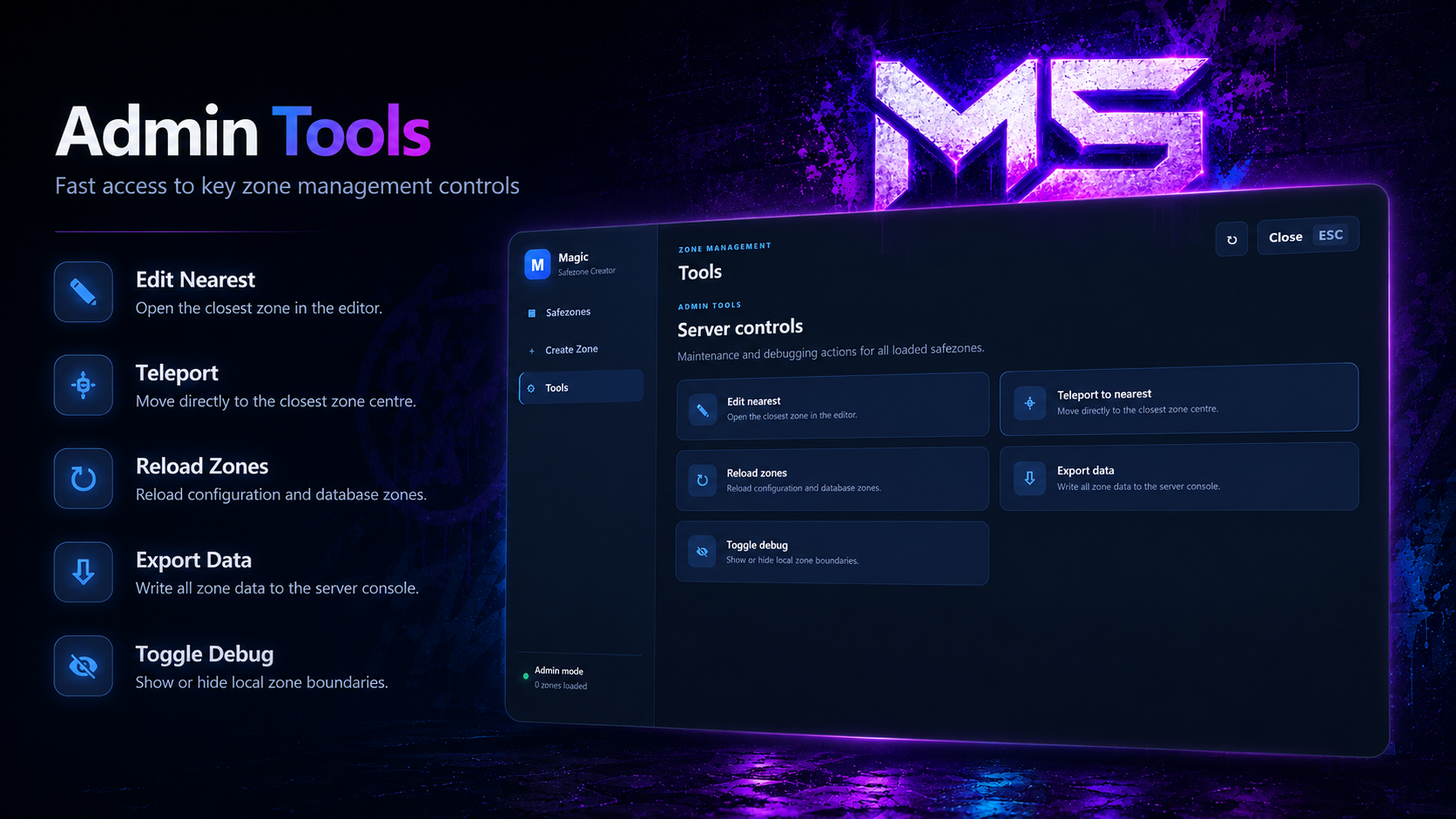
Administration Panel
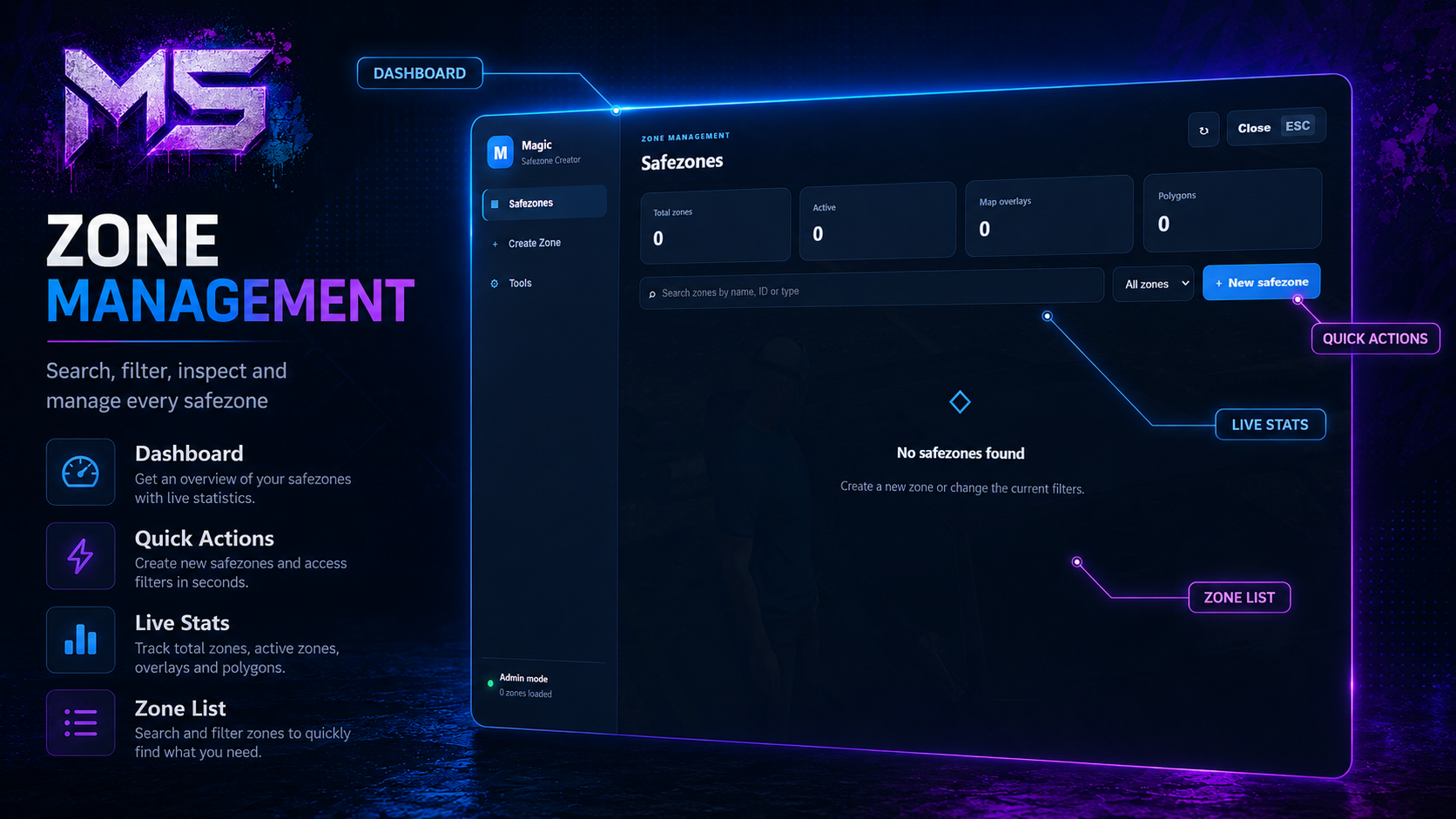
Manage every safezone from one clean interface.
Features include:
Searchable safezone list
Shape filters
Enabled and disabled filters
Active zone statistics
Polygon statistics
Map overlay statistics
Quick edit actions
Enable or disable zones
Teleport to zones
Inspect zone information
Delete confirmation
Reload zones
Debug tools
The interface uses a compact blue theme with no fullscreen black background.
Interactive Zone Editing
Modify existing zones without restarting your server.
Administrators can:
Create new zones
Edit existing zones
Move polygon points
Resize zones
Rename zones
Change shapes
Enable or disable zones
Delete zones
Teleport to zones
Export zone data
Reload saved zones
Toggle live debug boundaries
All updates are synchronised instantly with connected players.
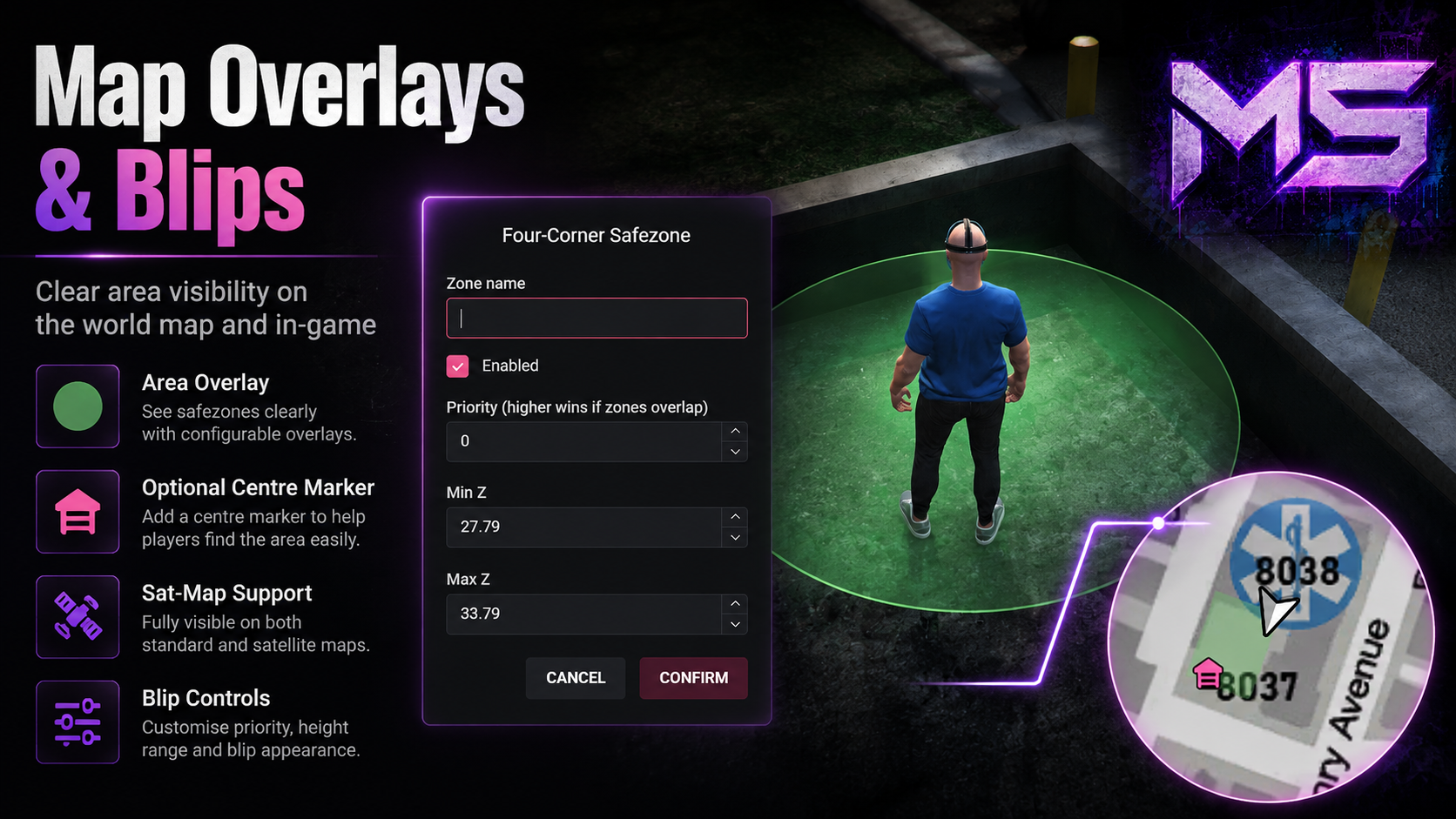
Minimap & Pause Map Overlays
Display safezones visually on both the minimap and pause map.
Configurable options include:
Optional centre marker
Independent coloured area overlay
Custom blip sprites
Blip colours
Overlay transparency
Short-range display
Administrator-only visibility
Rectangle overlays
Rotated box overlays
Polygon overlays
The centre marker can be disabled while leaving the coloured area visible.
Overlapping Zones
Support multiple safezones occupying the same area.
Features include:
Configurable priorities
Automatic rule inheritance
Highest-priority zone handling
Small-zone overrides
Nested safezones
Independent rule sets
Perfect for creating protected interiors, businesses and event areas inside larger city safezones.
Synchronisation & Persistence
All safezones are automatically stored and restored.
Features include:
SQL persistence
Automatic loading
Live synchronisation
Resource restart recovery
Instant client updates
Automatic database setup
Safe data migration
No manual coordinate editing is required.
Security
Important actions are fully validated by the server.
Security includes:
Server-side administrator validation
ACE permission support
Framework permission support
Server-side payload validation
Parameterised SQL queries
Rate-limited admin actions
Protected database operations
Sanitised client data
Server-authoritative rule handling
Discord webhook logging
Interface
The included interface features:
Modern blue design
Responsive layout
Transparent game background
Smooth animations
Searchable lists
Clean dropdown menus
Styled scrollbars
Confirmation dialogs
Loading states
Built-in notifications
Resolution scaling support
Compatibility
Frameworks
✅ Qbox
✅ QBCore
✅ ESX
Automatic framework detection is supported.
Requirements
Required
ox_lib
oxmysql
Recommended
OneSync
Commands
Administrator
/safezones
Open the Safezone Creator and administration interface.
Perfect For
Safe cities
Hospitals
Police stations
Dealerships
Spawn areas
Events
Racing hubs
Businesses
Government buildings
Gang headquarters
Public gathering areas
PvE and PvP zones
Support
Need help?
Join our Discord community for installation support, updates and announcements.